
If your paid social results are inconsistent, the bottleneck is almost certainly your ad creative workflow, not your bidding strategy. A high performing ad workflow is what separates teams that iterate fast and scale winners from teams that spend three days getting one asset through review. This guide gives you the exact structure: the foundational setup you need before you touch a brief, the stage-by-stage process from concept to launch, how to test and scale without bleeding budget, and where AI can genuinely cut your workload without creating new problems.
Table of Contents
- Key takeaways
- What makes a high performing ad workflow
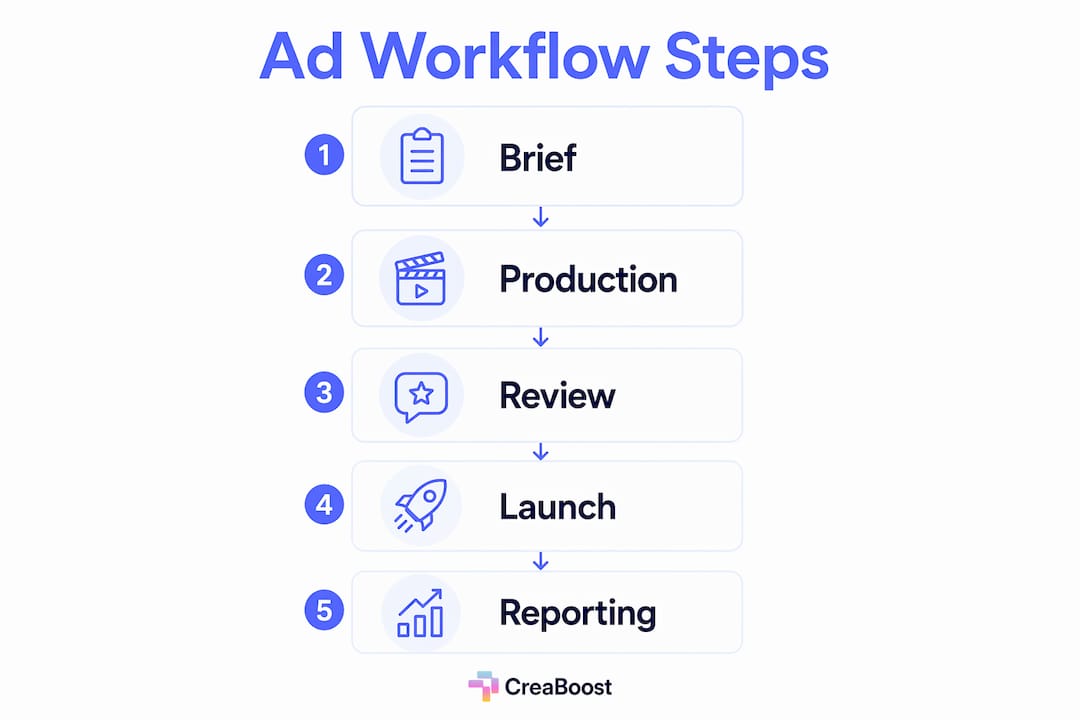
- The step-by-step ad workflow process
- Testing, scaling, and avoiding common pitfalls
- AI and automation in your ad workflow
- My honest take on where most workflows break
- How Creaboost closes the creative loop
- FAQ
Key takeaways
| Point | Details |
|---|---|
| Start with clear foundations | Define SMART objectives, align team roles, and set up tracking before producing a single asset. |
| Follow a structured workflow | Move through Brief, Creative, Review, Launch, and Report stages with defined human approval points at each gate. |
| Separate test and performance budgets | Allocate 15 to 25% for testing and 75 to 85% for performance to protect ROAS while generating new learnings. |
| Scale only after exiting learning phase | Wait for 50 optimization events per ad set per week, then increase budgets in 10 to 20% increments. |
| Use AI with human checkpoints | Automate repeatable tasks like brief drafting and reporting, but keep human approval gates to protect brand control. |
What makes a high performing ad workflow
Before you build anything, you need three things locked: clarity on what winning looks like, a team that knows their lane, and a technical setup that does not lie to you. Most workflow problems trace back to at least one of these being weak.
Start with one objective per campaign. Effective campaigns define one primary objective and use ROI or cost metrics to drive optimization decisions. Not reach. Not impressions. One objective, one north star metric. When a team runs a purchase campaign optimizing for clicks because "the pixel isn't working yet," they have already lost a week.
Align team roles before the brief goes out. Every brief should have a named strategist, a named creative lead, and a named analyst. Not a team. A person. When no one owns a decision, the decision takes three times as long.
Get your technical infrastructure right. This means your tracking pixel fires on every conversion event you care about, your UTM parameters are consistent and actually match your naming conventions, and your assets live somewhere that is not someone's desktop or a shared Google Drive with 400 unnamed files. Maintaining a single source of truth for briefs, assets, and approvals is what separates teams with clear ROI from teams with "we think it's working."

Pro Tip: Before onboarding any new tool, document your current workflow on paper first. Mapping your existing process before adding automation reveals the real bottlenecks and accelerates adoption significantly.
Your tools stack matters too, but less than people think. A project management tool for brief tracking, a platform for creative generation and review, and a performance dashboard are the three non-negotiable categories. Everything else is optional until you have outgrown those three.
The step-by-step ad workflow process
This is the sequence that defines an effective ad campaign process with clear human and AI roles at each stage.
-
Brief. The strategist writes a brief anchored in real performance data, not assumptions. AI can draft a starting version using previous winning concepts, angles, and audience signals. A human reviews and approves before anything goes to creative production. This gate matters because no AI currently knows your brand's tolerance for risk or your customer service team's capacity for returns driven by misleading hooks.
-
Creative production. Your designer or AI generation tool produces the required ad variations. For paid social at scale, you are targeting 15 to 30 new ad variants weekly. Static ads, short-form video, and carousel formats should all come from the same brief so your test results are comparable. Name every asset according to your naming convention at this stage. Not after launch.
-
Review. A human creative lead approves each asset against the brief. This is not about personal taste. It is about confirming the hook matches the offer, the visual hierarchy is correct, and the CTA is unambiguous. AI can flag technical spec issues, but brand judgment stays human.
-
Launch. Your media buyer sets up the campaign with the correct objective, audience, budget, and placement settings, then checks that tracking fires correctly before spending a dollar. Automation can handle bulk upload and campaign duplication, but a human confirms the setup before the campaign goes live.
-
Reporting. AI is genuinely useful here. It can pull performance data, auto-tag creatives by format and angle, and surface which concepts are driving ROAS versus which are eating impressions. A human interprets the patterns and decides what gets scaled, what gets refreshed, and what gets killed.
Pro Tip: Version control your briefs the same way developers version code. Brief v1.0, v1.1, v2.0. You will need to trace why a creative direction changed when a concept that worked six months ago stops working today.
Testing, scaling, and avoiding common pitfalls
This is where most optimized advertising workflows either generate compounding returns or quietly burn budget.
Testing methodology
Variable isolation is the discipline that makes your test results usable. Run distinct creative concepts with the same objective, the same funnel stage, and mirrored audience temperature. When you change three variables at once, you cannot attribute the result to any of them.
Use a spend-box approach: give each creative $30 to $50 in spend within a defined time window before making a scale or pause decision. This keeps you from killing a creative on 200 impressions and from over-investing in a false positive.
Budget structure
| Budget type | Recommended allocation | Purpose |
|---|---|---|
| Testing budget | 15 to 25% of total | New creative concepts, cold audience variants |
| Performance budget | 75 to 85% of total | Proven winners, retargeting, scaling |
Separating these budgets is non-negotiable if you want reliable data. Mixing them makes it impossible to tell whether a budget shift changed results or a creative change did.
Meta's learning phase
Your ad set needs 50 optimization events per week to exit the learning phase and stabilize. If you are not hitting that threshold, your first move should be moving to a higher-funnel event, like add-to-cart instead of purchase, until the volume is there. Do not consolidate ad sets too early or you reset the clock.
When you are ready to scale, increase budgets by 10 to 20% every three to four days, only after you have confirmed the learning phase has exited. Jumping 50% to "catch momentum" is the fastest way to restart learning and watch your CPAs spike.
Creative fatigue signals to watch
- CPC is rising while CTR is falling over a 5 to 7 day window
- Frequency is above 3.0 for cold audiences
- ROAS decline is not explained by seasonal factors
- The same audience has seen the top-performing creative for more than three weeks
AI and automation in your ad workflow
AI has already changed what is possible in paid social workflows. AI systems now make thousands of micro-adjustments in real time across bids, budgets, and audience-creative pairing. Your role is not to fight that automation. It is to govern it.
Here is where AI genuinely adds velocity to an effective ad campaign process:
- Brief drafting: AI pulls patterns from past briefs and winning concepts to generate a structured starting point in minutes instead of hours.
- Creative variation generation: A product URL can become dozens of platform-ready static variations without a designer round-trip. Background swaps, hook tests, CTA changes. These are tasks that used to take two days.
- Asset routing and tagging: Auto-tagging by format, angle, and concept at the point of creation means your analytics are actually usable three months from now, not abandoned because manual tagging broke down.
- Reporting summaries: AI can pull weekly performance data and surface the key movements. A human reads the summary, interprets the trend, and makes the call.
The risk is fragmentation. Teams that use five separate AI tools for five separate tasks end up with a workflow that is harder to manage, not easier. Avoiding tool fragmentation and keeping briefs, assets, approvals, and analytics in one system is what produces measurable ROI from AI investment.
Pro Tip: Run human approval gates for the first 60 days of any new AI-generated creative workflow before increasing automation scope. Initial approval gates catch model drift and prompt degradation before they reach your ad account.
The teams seeing real AI-driven productivity gains are not the ones who automated the most. They are the ones who automated the right tasks and kept humans in control of strategy, brand judgment, and scaling decisions.
My honest take on where most workflows break
I have seen a lot of teams try to fix a workflow problem by adding a tool. It almost never works. What actually fixes a workflow problem is removing a decision that should not require human input and protecting the decisions that absolutely do.
The most common mistake I see is automating too fast. A team gets excited about AI creative generation, ships 40 variants in a week, and then cannot track which concept drove which result because their tagging broke down on day three. The tool did not fail them. The process around the tool failed them.
The second most common mistake is treating the learning phase like an obstacle instead of a signal. When a campaign is stuck in learning, that is data. It tells you your conversion volume is too low for the event you chose, or your audience is too fragmented, or your budget is too thin to generate signal. Fix the signal problem first.
What I have found works consistently: map the workflow on paper before you touch a tool, assign one human owner to every approval gate, and build your tagging and naming convention before your first asset goes out. The teams I have watched improve their ad performance tracking methods the fastest are almost always the ones who treated operational discipline as a competitive advantage, not an afterthought.
Speed matters. But speed without a feedback loop just means you fail faster.
— Bythewise
How Creaboost closes the creative loop
Building a high performing ad workflow takes more than good intentions. It takes a system that covers every stage without forcing you to stitch together five separate tools.
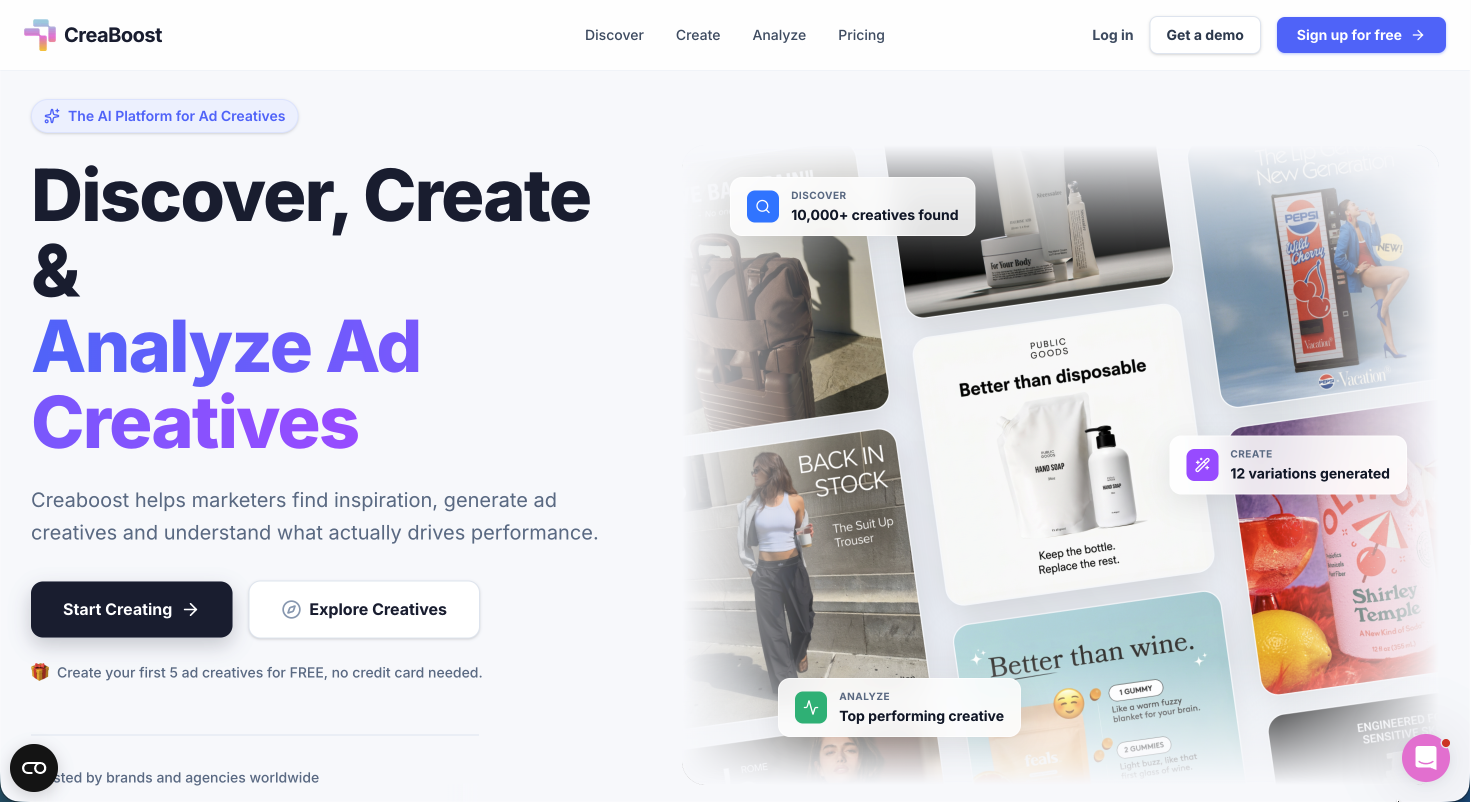
Creaboost is built specifically for performance marketers and ecommerce teams running paid social at scale. The creative analytics features auto-tag every asset by hook, angle, and format directly from your connected ad accounts, so you always know which concepts are actually driving ROAS and which are burning budget. The AI generation tools turn a product URL into dozens of platform-ready variations in minutes. The Manage layer handles naming conventions, bulk upload, automation rules, and ROAS threshold alerts, so your weekly optimization cadence becomes a system instead of a scramble. See the full platform and explore Creaboost's capabilities to start shipping smarter creative this week.
FAQ
What are the core stages of a high performing ad workflow?
A high performing ad workflow moves through five stages: Brief, Creative production, Review, Launch, and Reporting. Each stage should have a defined owner and at least one human approval gate before moving forward.
How many ad variants should I test per week?
Most performance teams targeting speed-to-learning on Meta launch 15 to 30 new ad variants weekly, giving each creative $30 to $50 in spend before making a scale or pause decision.
How do I scale budgets without resetting Meta's learning phase?
Exit the learning phase first by hitting 50 optimization events per ad set per week, then increase your budget by 10 to 20% every three to four days. Larger jumps reset the learning phase and destabilize your CPA.
What is the right split between test and performance budgets?
Allocate 15 to 25% of your total budget to creative testing and keep 75 to 85% in proven performance campaigns. This structure protects revenue while maintaining a steady pipeline of new concepts entering scale.
How do I know when a creative is suffering from fatigue?
Watch for rising CPC combined with falling CTR over five to seven days, cold audience frequency above 3.0, or a ROAS decline that cannot be explained by seasonal factors. These signals typically appear one to two weeks before the platform's own metrics reflect the drop.